For construction attorneys
Your clients sign contracts you never saw.
Redline is the first read. Drop in the contract a client was sent and it comes back read from their side of the table: every clause worth your eyes, the page it is on, and language to propose. You decide what goes out under your name.
Two weeks, up to 3 matters, every download included · No card · Your clients' contracts are never used to train AI
You already know this
The expensive contracts are the ones nobody sent you.
The contract that never reaches you.
A client gets a subcontract on Thursday and is told to sign by Monday. A full review feels like more than the job is worth, so they sign it. You meet that contract a year later, at the dispute.
The hour before the judgment starts.
Forty pages to find the six clauses that matter. Finding them is not what a client hired a construction lawyer for, and it is the part that makes a small review hard to price.
Someone else is quoting your client.
Flat-fee AI contract review is being sold straight to contractors now, some of it with an attorney's sign-off attached. Your clients are hearing that pitch.
A contractor should not sign a contract nobody read. If the first read costs you minutes, you can afford to read all of them, and spend your hour on the three clauses that decide the job.
What you get back
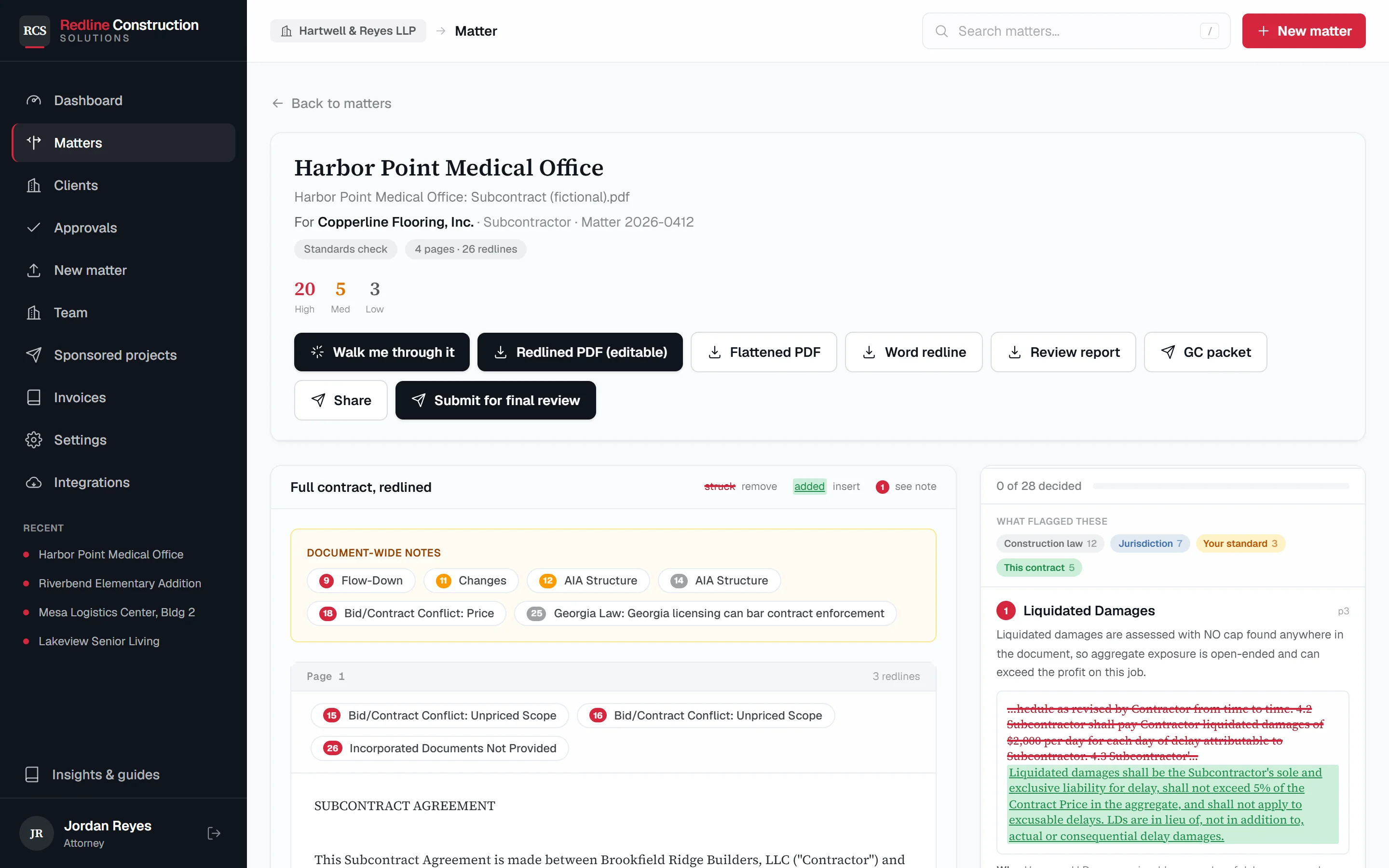
The contract, read from your client's side, with the page for every flag.
- 1
Whose side it is on
Each matter is for one client. A subcontractor's review is the opposite of an owner's, so the client's side is the first thing you choose and it is printed on the matter. - 2
Every flag has a page
Each finding opens the clause it came from, struck and rewritten in place, so you check the source instead of trusting a summary. - 3
Language to propose
Proposed wording sits beside the original. Keep it, change it, or reject the flag. Rejected flags are left out of what you send. - 4
Where it came from
Each flag is labelled with what raised it: construction law, the project's state, your standards, or this contract.
How it works
Three steps, and the second one is a drag and drop.
- 1
Choose the client.
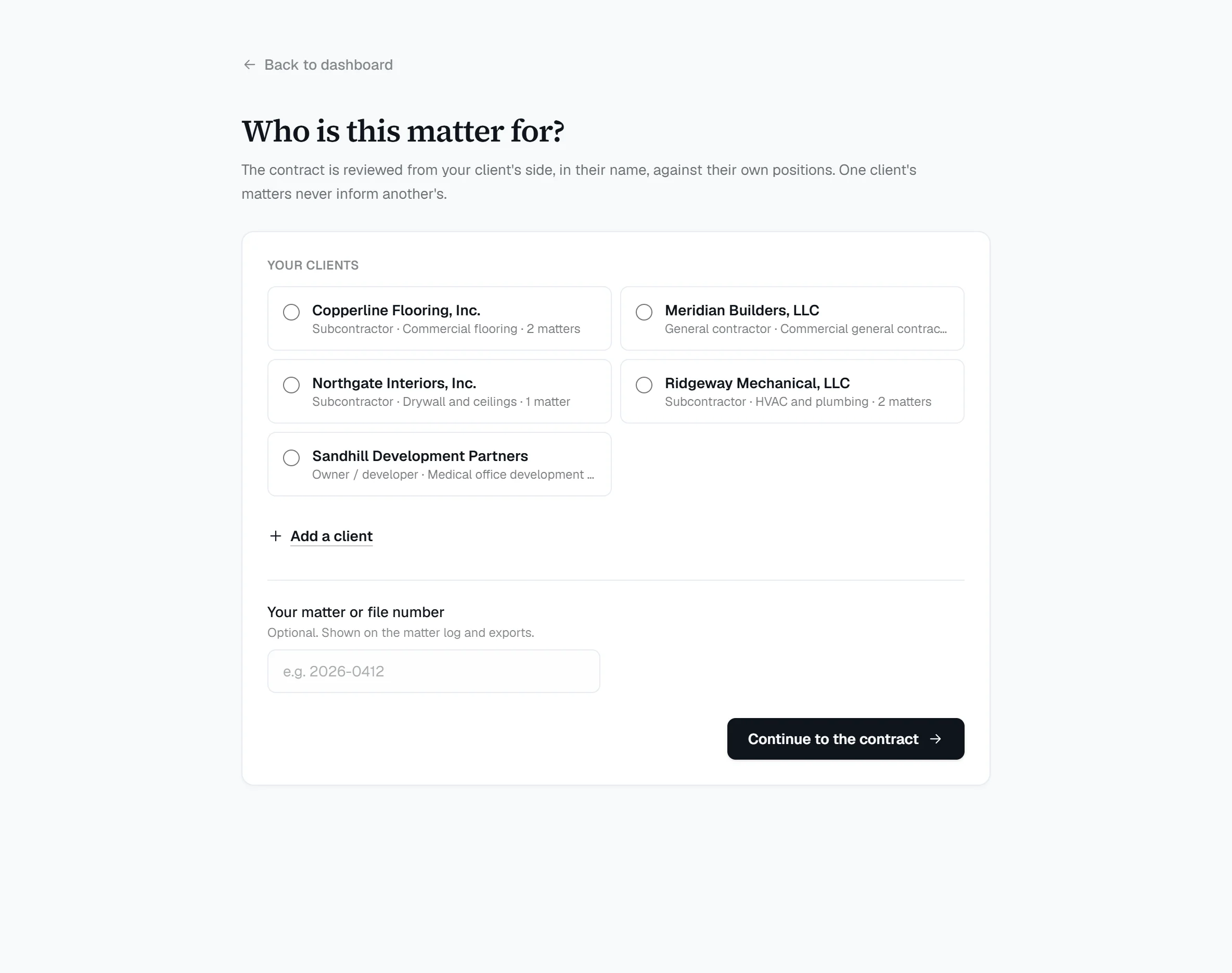
Pick who the matter is for, or add them in one line. Add your file number if you use one.
- 2
Drop in the contract.
The PDF your client was sent. Add their proposal if they have it and Redline shows where the contract departs from what they priced.
- 3
Decide, then send.
Work the flags, mark what to push and what to accept, and take the redline, the change packet and a draft letter to your client.
Clients and matters
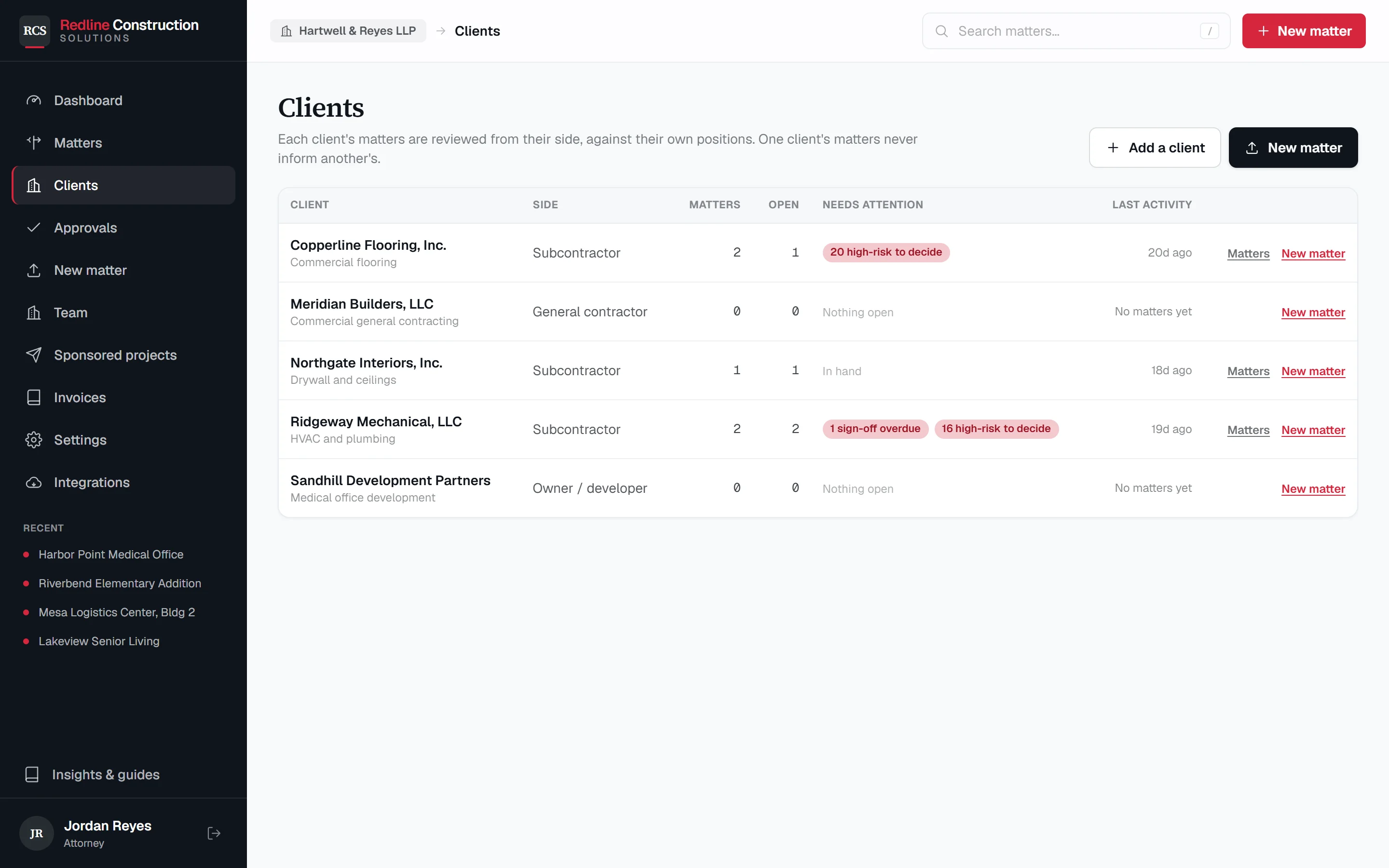
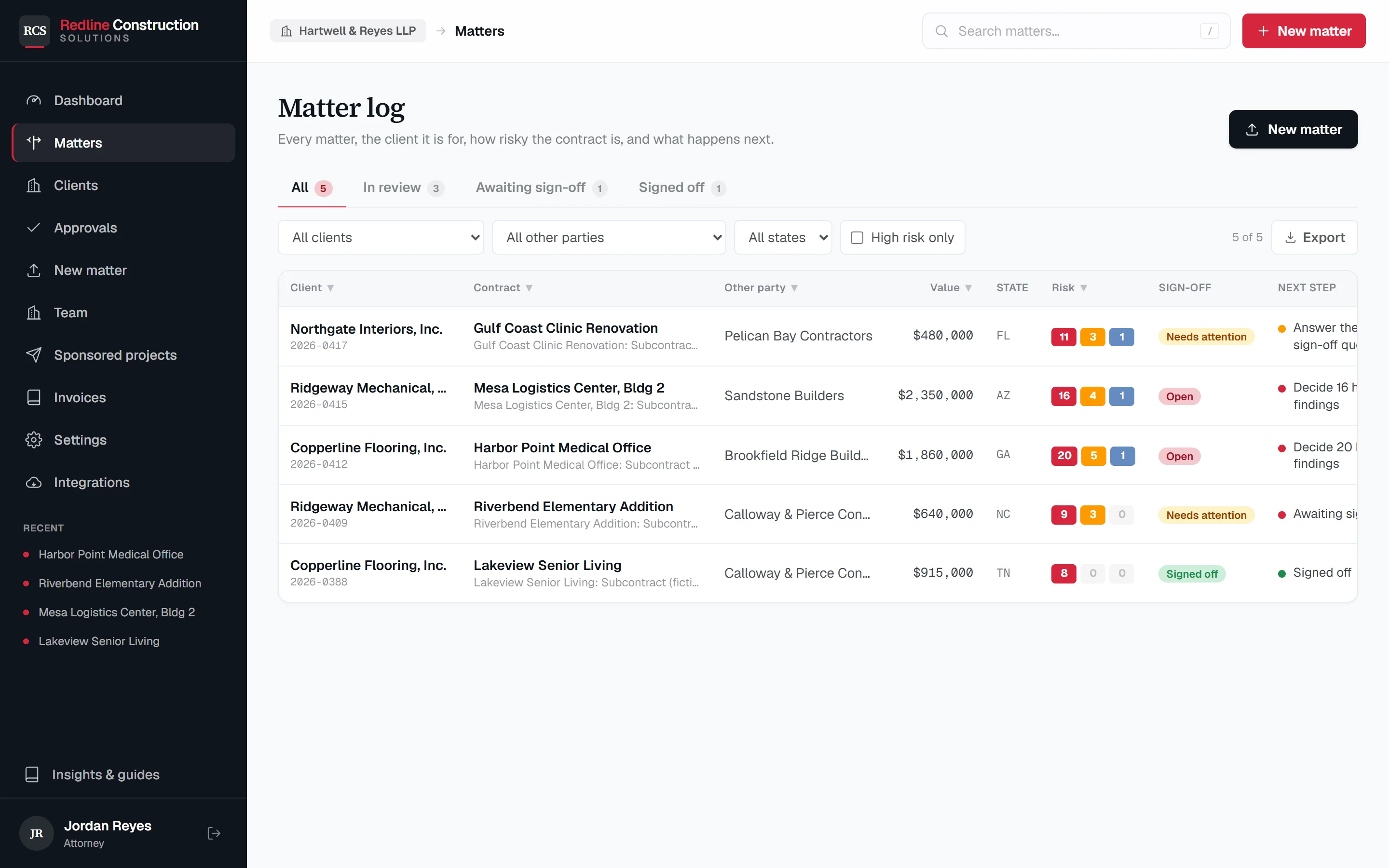
One docket for every client. One client's matters never inform another's.
Each client has their own side of the table, their own positions on payment, retainage, indemnity and damages, their own insurance, and their own standing instructions. A client with none of their own starts from your firm's house positions.
The docket shows, per client, how many matters are open, how many high-risk items nobody has decided, and what is waiting past your sign-off target.
What one client conceded to a general contractor is never shown on another client's matter. That is how the product is built, not a setting someone can leave off.
The back and forth
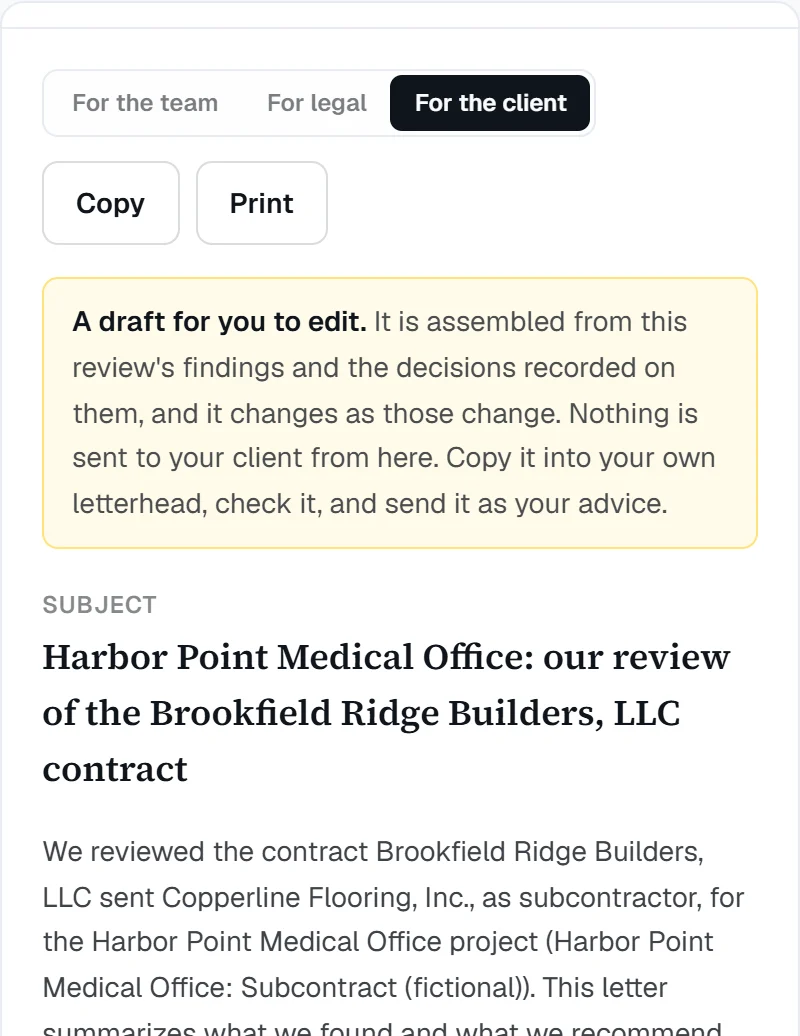
A review is a conversation with three parties. Redline keeps all of it in one place.
To your client
A draft letter, already written.
What was found, what you recommend asking for, what they have chosen to carry, and the decisions you need from them. Built only from the review. It is a draft, and nothing is sent from Redline.
To the other side
A redline they can say yes to.
A Word file with tracked changes, a marked-up PDF, and a change packet that puts the asks in priority order with the proposed language beside each.
When they answer
Round two, compared term by term.
Upload the version that comes back. Redline shows what changed since your markup, so nothing slips in between rounds.
Inside your firm
Flag it, then sign it off.
Flag a clause to a colleague, submit the matter to the supervising attorney, and the approval is recorded with a name and a time.
Not here yet: a link your client can open to send you the contract or answer your questions. Today you send the letter and the redline yourself. It is the next thing we are building.
Redline Claim File
After the contract is signed: a claim file for each client.
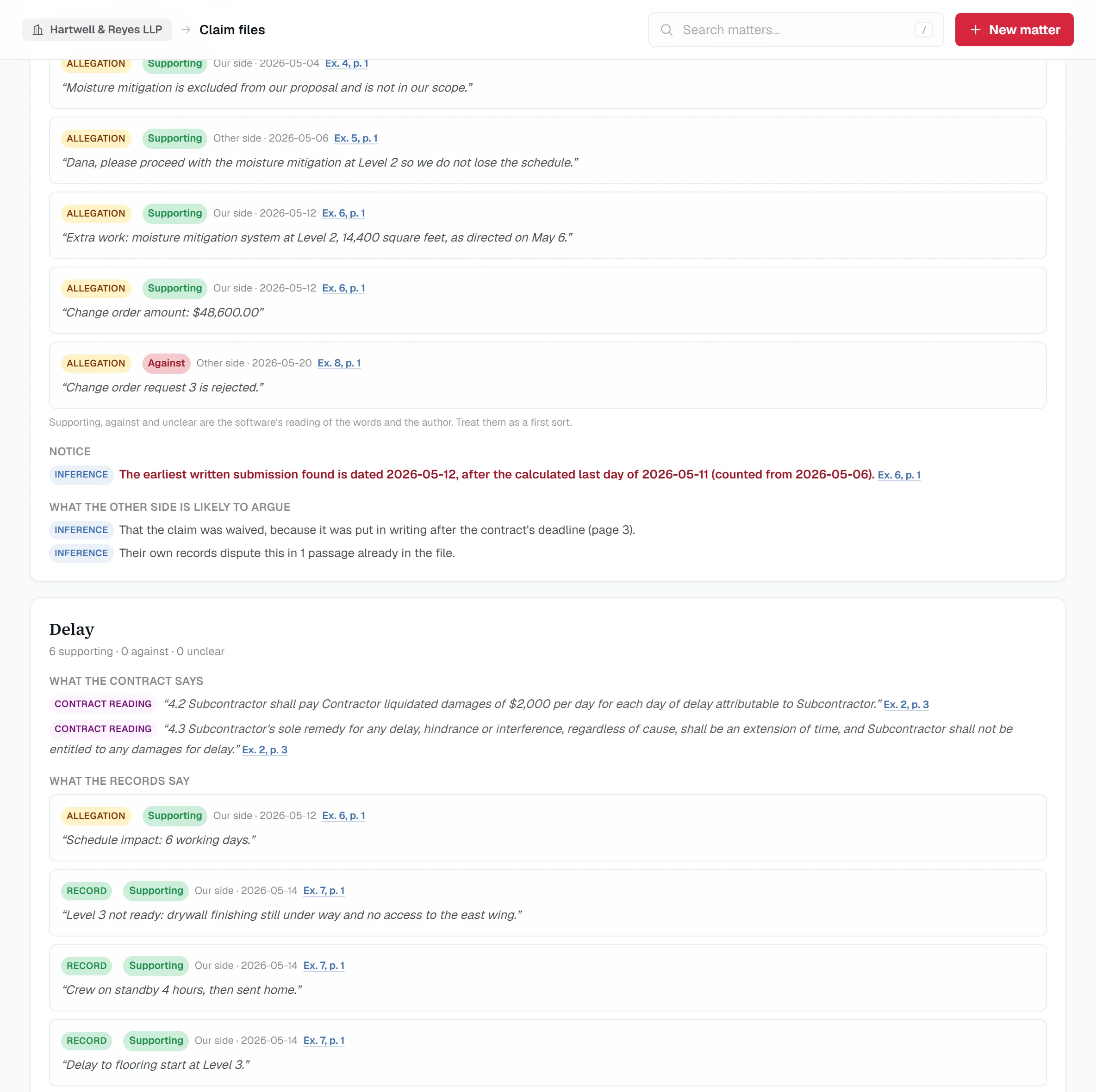
The signed contract and the project's records in one place: change orders, pay applications, daily logs, emails and notices. Redline organizes them. It does not decide them. Every line is marked as a record, an allegation, the software's own inference, or a reading of the contract, and nothing says what anyone is entitled to.
- 1
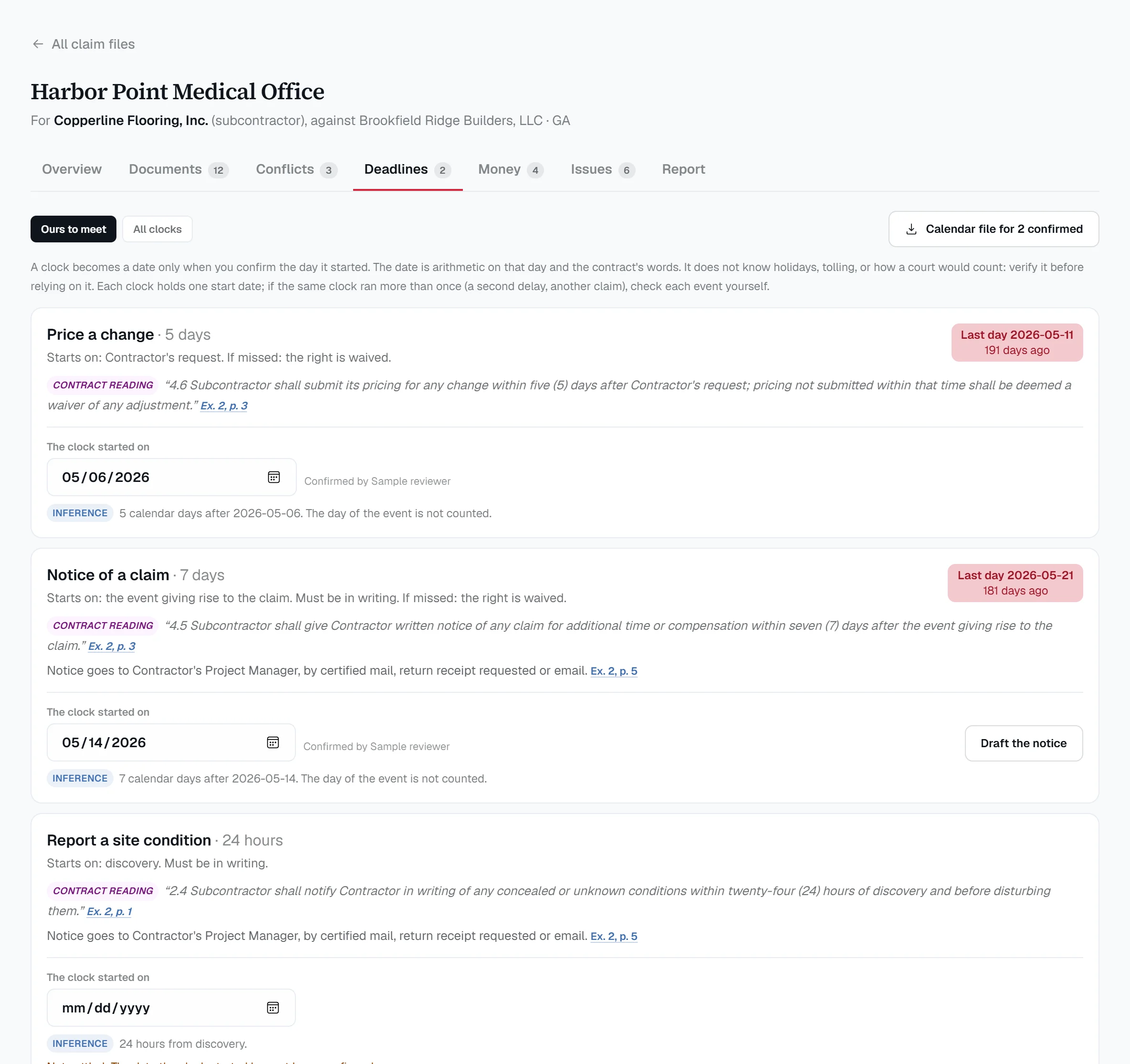
Every clock as a date
Notice, claim and pricing deadlines come from the contract's own words. A clock becomes a date only when you confirm the day it started, and the arithmetic shows its assumptions. - 2
Where the documents disagree
The contract says 60 days, the amendment says 45. Each side is quoted with its page, and you mark which governs. - 3
What the records say, by who wrote them
For unpaid work, retainage, scope changes, delay, acceleration and backcharges: the contract language, each side's own records, and where notice stands. - 4
The report you take away
A claims matrix, a chronology, an exhibit index, a weaknesses report and deposition questions, each line tied to an exhibit and a page. It opens in Word or saves as a PDF.
$399 a month, added to the firm's plan, and the first two claim files are free, from the firm's workspace. It reads the records by their words, without AI, so it will miss what is said in other words. See how a claim file works.
You stay the lawyer
Built so the judgment, and the duty, stay with you.
ABA Formal Opinion 512 (July 2024) addresses a lawyer's duties of competence, confidentiality, communication, supervision and reasonable fees when using generative AI tools. It is guidance, not a rule in your state, so check your own bar's position. These are the facts about Redline you will want when you do.
Read exactly how contracts are stored and handledYou give the advice.
Redline is not a law firm and gives none. It prepares the first read. Nothing reaches your client or the other side unless you send it.
You can check every flag.
Each one opens the page it came from. A flag you reject is left out of the redline and the packet.
Your clients' contracts stay yours.
Encrypted in transit (TLS 1.2+) and at rest (AES-256), scoped to your firm, and never used to train, fine-tune or benchmark any AI model.
You can have it deleted.
A contract, a matter, or the whole workspace, on request.
Where it stands
What it does not do, said before you ask.
- It will miss things.
- It is a first read, not the last one. Use it to get to the clauses faster and to make sure the routine ones are never skipped. Do not use it instead of reading the ones that matter.
- It is built only for construction.
- Flow-down from the prime, pay-if-paid, indemnity, liquidated damages, retainage, notice and lien deadlines, the client's proposal against the contract. It does not review leases or software agreements.
- Lien and bond deadlines: 12 states, awaiting attorney verification.
- Each is cited to its statute and marked as pending verification on the screen. If your state is one of them, we would like your corrections.
- No client login yet.
- Your client cannot upload a contract or answer your questions inside Redline today. You send them the letter and the redline yourself. A client link is the next thing we are building.
- We are new.
- Redline has been built since June 2026, on construction contracts and nothing else. Other tools are older. Judge this one on a contract you know well.
What it costs
Start free. Price it per matter, not per lawyer.
The trial is two weeks and up to 3 matters, with every round of markup and every download included. After that the published plans apply: a single matter at a time, or a yearly plan that covers a working practice.
We are setting law-firm pricing with the first firms that use it. Tell us how you bill a contract review and we will price it to fit.
Questions attorneys ask
Straight answers.
Is this legal advice?
No. Redline is software, not a law firm. It prepares a first read for you. The advice is yours, and the draft letter says so on the screen.
Whose side does it take?
Your client's. You choose the client when you open a matter, and their side of the table (subcontractor, general contractor, owner or developer, supplier, design-builder or construction manager) decides what the review protects.
Does it know my state's law?
The review is keyed to the state where the project sits, not where your client is based, and flags that come from state construction law are labelled. Coverage is a growing library and each rule shows its citation and whether it has been verified. Treat it as a pointer to check, not an authority to cite.
Can it use our firm's standard positions?
Yes. Set the firm's house positions and standing edits once. Give any client their own, and theirs override the firm's on that client's matters.
Does one client's work show up on another's?
No. A matter reads only its own client's earlier matters. That covers the history of what a given general contractor accepted, and the saved drafts of a matter in progress.
Can my client upload the contract themselves?
Not yet. Today you or your paralegal drop it in. A link you can send a client is the next thing we are building.
Who else at the firm can see a matter?
The people you invite to the firm's workspace, as attorneys or paralegals. The firm's owner can see the team and an audit log.
Run one contract a client sent you. Then tell us what it missed.
Pick a contract you already reviewed yourself, so you know the right answer. Run it. If the first read is not worth having, you have lost very little and we have learned something.
- Free for two weeks, up to 3 matters, no card
- Every download included: Word redline, marked-up PDF, change packet, draft client letter
- Share it with the people in your office. We want their feedback too
Would rather start on your own?
Open a workspace, choose “Law firm / counsel” when it asks which side of the table you are on, and add your first client.
Open a firm workspaceNot a law firm. Not legal advice. A first read for the lawyer who gives it.